• Welcome to H4O! For a reduced ad experience, please login or register with the forum.

If your installing a back-up camera for your head unit...

S

SedonaBound

Guest
I chased my tail for hours trying to get my cam to show automatically on my new head unit when I shift to reverse. After wringing out my wiring job and finding no problem I finally called Metra, who made the $90 wiring harness, and after the "oops" the tech told me that the H3 BCM doesn't send out the reverse signal in the data line the harness reads. So I hard-wired the reverse lead from the head unit to the back-up lights and everything worked as described.
 
S

SedonaBound

Guest
Couldn't you just run the camera to your reverse lights in the fuse box and make it pop up like that?
Two reasons:
1. The Pioneer AppRadio 3 head has "rear view mode" that can be selected when not in reverse; useful if towing. That mode won't work if the camera power was connected to the back-up lights. This head needs the camera on full time. The reverse signal switches the screen.
3/22 Edit : If you want to use the back-up cam when not in Reverse, you have to run a RAP-active power wire. The running light wire won't work because its controlled by the auto-sensor that turns the parking/tail lights off in daylight.
2. The H3 back-up light fuse is hot whenever the ignition is on because the lights are powered thru a relay, so tapping the fuse would look to the head unit like it was always in reverse. It was quicker to run another lead to the back-up light wire on the trailer harness than messing with the relay or tracking down the back-up light power wire in the well wrapped harness bundles. In a H3T, you only need to run under the bed and lead the wires inside through one of the vents in the back bulkhead, then its just under the trim and seat into the console.
 
Last edited by a moderator:

High Five H2

Well-Known Member
Messages
1,627
Location
West Texas
I'm about to put in a reverse camera. Any more info on how you ran the wires? Did you have to run a wire all the way to the reverse lights themselves?
 

Graham2990

Well-Known Member
Messages
132
Location
TN
What adapter harness did you use?

I used the GMOS 1 http://www.amazon.com/Axxess-GMOS-01-Onstar-Harness-Adapter/dp/B000K52DVY on my install and it had a hookup for a reverse light circuit.

It mentions it in the instructions as well, just connected the stereo's reverse signal wire to the harness and it's worked fine. Automatically opens and switches to back up camera when in reverse, or if I select camera on the screen it gives me full time view.

I too use my rear view camera as a rear view mirror sometimes so I pulled power from the trailer light harness. Pretty easy as the flip cap for the plug has labels right on it as to what wire is constant power and ground.

It was kind of cumbersome to run the RCA cable for the camera feed down the drivers side frame rail, up the frame, and into the truck behind the master cylinder, but I ended up having about 4 foot of extra cable.
 
S

SedonaBound

Guest
I'm about to put in a reverse camera. Any more info on how you ran the wires? Did you have to run a wire all the way to the reverse lights themselves?
I used the trailer wiring behind the rear bumper for everything associated with the back-up cam. I spliced into the running lights (brown) wire for camera power, grounded it to the trailer plug screw, and spliced into the back-up light wires (lt grn?) for the reverse signal to the head unit. It was quicker time-wise for me to run the reverse signal wire to the trailer wiring in the rear than to hunt down a closer place to tie in to the back-up lights. My truck's wiring is really well sheathed and I didn't want pull more inside trim or cut wire bundles open. I had planned to tap in at the b-u light fuse, but as I explained above, that's always hot so wouldn't work and I didn't want to mess with the relay plug in the fuse block. I used the KISS Principle.

If your head unit shows the camera image only in reverse, you can probably use combine the camera pwr with the reverse connection in one splice to the b-u lights, but verify that in your head unit info. I lead the wires along the existing harness bundle that follows the left chassis rail up. Since you're starting clean, you can run the reverse lead wire with the camera wire to the head. I had already run the cam wire, then had to go back run the reverse wire separately because of the harness glitch. Hope this helps.
 
S

SedonaBound

Guest
What adapter harness did you use?

I used the GMOS 1 http://www.amazon.com/Axxess-GMOS-01-Onstar-Harness-Adapter/dp/B000K52DVY on my install and it had a hookup for a reverse light circuit.

It mentions it in the instructions as well, just connected the stereo's reverse signal wire to the harness and it's worked fine. Automatically opens and switches to back up camera when in reverse, or if I select camera on the screen it gives me full time view.

I too use my rear view camera as a rear view mirror sometimes so I pulled power from the trailer light harness. Pretty easy as the flip cap for the plug has labels right on it as to what wire is constant power and ground.

It was kind of cumbersome to run the RCA cable for the camera feed down the drivers side frame rail, up the frame, and into the truck behind the master cylinder, but I ended up having about 4 foot of extra cable.
I used the Metra GMOS-04 thats listed for the H3 with OnStar and Monsoon systems. It uses the head unit as a preamp only. It has only a battery connection for 12V and has a processor that's supposed to read BCM data for turning the audio power on and controlling the alert chimes. Its been a real PITA and I'm still trying to wring out the problems that Metra blames on Hummer's non-Chevy wiring. Every time I call Metra Support, I get a different tech, and a different story. Sheesh...they've only had five years to get it right for H3s!
 

sherrod833

Member
Messages
17
Location
United States
Where did you mount your's? I'm wanting to put mine right above the hitch in the plastic bumper cover but the bumper is too close and doesn't allow enough room for the camera.
 

cbetts

NERD!!!
Messages
3,188
Location
Rancho Palos Verdes, CA
Where did you mount your's? I'm wanting to put mine right above the hitch in the plastic bumper cover but the bumper is too close and doesn't allow enough room for the camera.

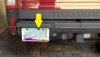
I used a license plate camera and mounted it it exaclty where you described:
2012-09-27_10-18-22_417.jpg


I got the camera for pretty cheap at Amazon. :link: I replaced it once when it got water inside the lens. The night vision works well.
 
S

SedonaBound

Guest
I installed one of these tiny eSky cams from Amazon on one of the license lamp screws. Its tucked up out of harms way and the bracket can be bent to adjust the view angle. The H3T doesn't give many options for mounting an aftermarket cam.

attachment.php
attachment.php
 

Attachments

  • backup cam edit.jpg
    backup cam edit.jpg
    36.5 KB · Views: 3,244
  • cam.jpg
    cam.jpg
    4.7 KB · Views: 3,079
Last edited by a moderator:

scoreh3

Well-Known Member
Messages
1,024
Location
SoCal
If I had one like that ( and I am looking in to it ) I would mount up higher like the Ford and Toyota trucks do . The view from higher up is so much better . If you could find a nice water proof quick connect you could drill a small hole and mount it in the center cap of the spare tire . You could also mount it like commercial vehicles and motor homes do up on top . I have a wireless one that size ( and I HATE ithe wireless ones) mounted down low and I don't realy the view from there . Up higher you can see better what the spare is going to hit first , your trailer hitch while backing up to the trailer , etc... . If your really want to be cool put one up front in the grill like the new Raptors have so you can self spot yourself off roading . Ok that my 2 cents worth and some of my camera wish list plans .
 
Top