• Welcome to H4O! For a reduced ad experience, please login or register with the forum.

Radio Installs in my H3

RadioMike

Active Member
Messages
34
Location
Abbeville, SC
Thought I would see if there would be any interest in some of the Radio installs in my H3. My H3 is a 2007 Base model.
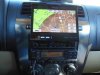
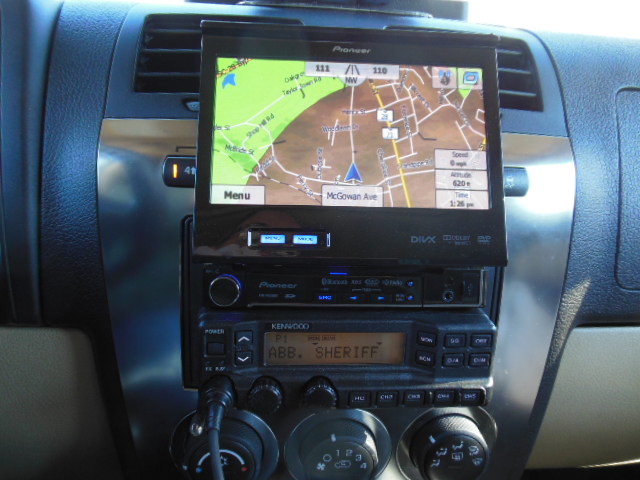
The first Radio was to convert the standard AM-FM Radio to an aftermarket Pioneer with Navigation. I wanted to take full advantage of the double din area of the dash, so I used a single din Pioneer Radio with the flip up face. I also added the navigation option.
attachment.php


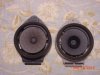
The factory speakers were toast, so I added new Pioneer replacements.
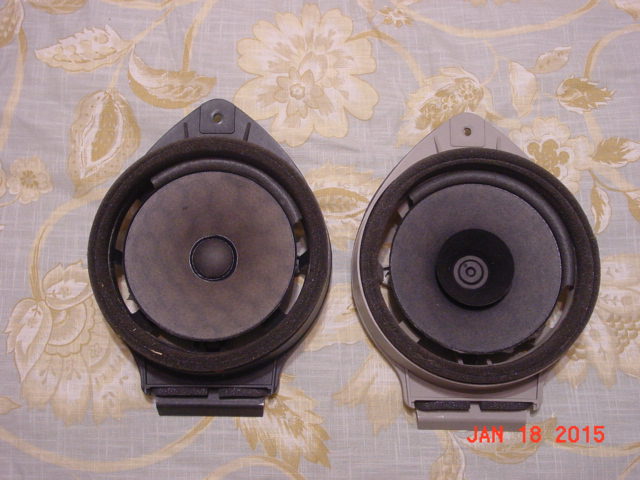
attachment.php
 

Attachments

  • DSCN0189.JPG
    DSCN0189.JPG
    135.4 KB · Views: 5,122
  • DSC00144.JPG
    DSC00144.JPG
    61.3 KB · Views: 2,172
Last edited:

RadioMike

Active Member
Messages
34
Location
Abbeville, SC
The next Radio install was the Kenwood TK-*90 series of Commercial Radio for VHF and UHF needs. The TK90 series of Radios are built very rugged and can be combined in many configurations. I have a 100 watt TK-790 VHF model and a 100 watt TK-890 UHF model combined to one control head. At a later date I will add a second control head to the back of the H3 to enable full control of the Radio when I am stationary and at the back of the vehicle with the door open. I have a total of 160 channels available for program into the radio in any configuration of VHF - UHF channels. Scan on these radios is great also, from 2 to all 160 channels. This set up does narrow and wide band. It will do the two meter ham, 440 ham, Commercial analog VHF and UHF radio systems. I also have all the NOAA Weather receive frequencies programmed in.
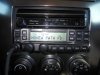
The Control head is mounted in the lower din of the double din opening where the original radio was housed.
attachment.php


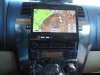
Here is a picture of the Radio with the Pioneer unit opened up with the Navigation going.
attachment.php


The two radio decks are installed in the back of the Hummer Cargo area. I personally have a dedicated 1/4 wave VHF (18") and a dedicated UHF (6") antenna roof mounted . There are many types of antennas to suit the persons taste. I rarely ever have to make any changes to the Radio's program. But, it is a very easy to use software and I have it installed on a laptop that stays in the Hummer at all times. About as easy as adding a channel on a manufactured dedicated two meter radio. The screen of the Kenwood commercial radio has a 14 character alfa numeric display. Enough to give plenty of info for a particular channel. This has served me well and is still my choice for two meter and 440 today.

I am adding a DMR radio and will cover this later.
 

Attachments

  • DSCN0185.JPG
    DSCN0185.JPG
    135.3 KB · Views: 2,374
  • DSCN0189.JPG
    DSCN0189.JPG
    135.4 KB · Views: 2,329
Last edited:

RadioMike

Active Member
Messages
34
Location
Abbeville, SC
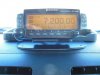
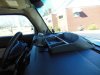
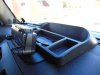
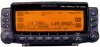
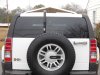
Here is my first HF Radio install. It was a Kenwood TS-B2000. It covered all the HF bands plus six meters, two meters, and 440. It was 100 watts on HF with, I think, 100 watts on two meters and around 50 watts on 440. A very good radio and selling for around $800 - $1000 on the used market. The Radio used the RC-2000 remote control Head. It would monitor two bands at one time. I had the Control Head dash mounted with double sided tape and tucked under the front edge of a DayStar dash orginizer. No holes had to be drilled and the wires passed through an existing opening on the Dash. The Radio was placed behind the set during this install. For an Antenna I used and still use today, the Little Tarheel II Antenna mounted on the Spare Wheel.
attachment.php
attachment.php
attachment.php
attachment.php
attachment.php
 

Attachments

  • DSCN0192.JPG
    DSCN0192.JPG
    136.1 KB · Views: 2,173
  • DSCN0195.JPG
    DSCN0195.JPG
    136.2 KB · Views: 2,098
  • DSCN0196.JPG
    DSCN0196.JPG
    135.6 KB · Views: 2,124
  • RC2000.jpg
    RC2000.jpg
    24.1 KB · Views: 2,006
  • DSCN0214.JPG
    DSCN0214.JPG
    136 KB · Views: 2,904

RadioMike

Active Member
Messages
34
Location
Abbeville, SC
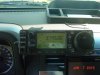
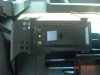
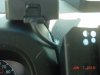
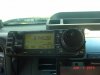
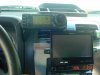
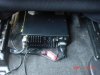
This is my current HF Radio install. It is an Icom IC-706mkIIg. It covers all HF plus six meters, two meters, and 440. It is 100 watts on HF and around 50 on VHF and UHF. It only operates on one band at a time. It has the remote head option. I have the Head mounted on the a PanaVise 75143-206 cell phone holder. The control wire passes between the opening in the dash with no holes. The Radio has plenty of room to mount under the front seat. Any channels in memory can be tuned up and down via the microphone buttons. Very ergonomic set up.
attachment.php
attachment.php
attachment.php
attachment.php
attachment.php
attachment.php
 

Attachments

  • DSC00160.JPG
    DSC00160.JPG
    62 KB · Views: 2,023
  • DSC00161.JPG
    DSC00161.JPG
    59.2 KB · Views: 2,069
  • DSC00162.JPG
    DSC00162.JPG
    58.6 KB · Views: 2,030
  • DSC00163.JPG
    DSC00163.JPG
    59.3 KB · Views: 2,084
  • DSC00164.JPG
    DSC00164.JPG
    61.6 KB · Views: 2,149
  • DSC00165.JPG
    DSC00165.JPG
    60.5 KB · Views: 2,164

JPaul

Well-Known Member
Messages
2,436
Location
Way up north, UT
Nice! I'm trying to figure out right now how I want to install my CB and 2M Icom 228H in my H3. You said there is a pre-existing hole in the dash you routed through, where exactly is this existing hole?
 

RadioMike

Active Member
Messages
34
Location
Abbeville, SC
If you look at my post on the TS-B2000 install and look how the head is mounted on the dash. The metal stand of the control head has just got double sided tape holding it to the dash and also slid up under the DayStar Holder. The plastic DayStar holder mounts to the Hummers dash by removing a plastic plug cover on the dash right in the center front. There is a almost 1/2 inch square hole down in the bottom of the void left when you removed the original cover piece. The DayStar holder just snaps in place. Throw the original cover piece in the glove box for later on. A small cord with a rj45 style plug will easily go through that hole. If you ever want to go back to normal, just remove the DayStar holder and snap the cover piece back in place. You can pick one of the DayStar organizers up on Ebay for around $20 -$25.
 
Last edited:

SuperBuickGuy

Well-Known Member
Messages
3,403
Location
Woodinville, WA
Nice! I'm trying to figure out right now how I want to install my CB and 2M Icom 228H in my H3. You said there is a pre-existing hole in the dash you routed through, where exactly is this existing hole?

he used the same hole I did. I ran the wire through the vent holes on the daystar then to my face - that I mounted to the front of the daystar tray.
 

JPaul

Well-Known Member
Messages
2,436
Location
Way up north, UT
Sweet, I'll have to pop that off later and take a look. Neither of my radios have detachable faces, so I'd be using the hole to pass power/coax through if possible.
 

RadioMike

Active Member
Messages
34
Location
Abbeville, SC
That will work. Just pass the cable through and then solder the PL259 on for the coax. The DayStar can be trimmed to mount the CB bracket to. Just get you a good windshield visor to protect the dash mounted electronics when parked in the hot sun.
 

JPaul

Well-Known Member
Messages
2,436
Location
Way up north, UT
That will work. Just pass the cable through and then solder the PL259 on for the coax. The DayStar can be trimmed to mount the CB bracket to. Just get you a good windshield visor to protect the dash mounted electronics when parked in the hot sun.

I'm actually thinking of making a heat shield to help protect the radios, even when I'm driving, since my 2M can put out up to 45 watts, so keeping it cool is important. I do need to get a sunscreen for the windshield though, it get's pretty warm here in UT, though where I park at work the dash doesn't get too much sun.
 
Top